Agency software where the numbers finally add up
Proposals, projects, time tracking and a CRM in one place, so you can see whether each job made money without a spreadsheet holding it together.
Four tools and a spreadsheet
If you run an agency of up to 50 people, you probably know the set-up. Proposals get written in one tool. Time goes into another. Clients live in a CRM, and a spreadsheet tries to join it all together.
Each tool has its own version of the job. The proposal says one thing about design hours. The timesheet says another, logged against a vague project name. The CRM doesn’t know the project exists.
So the questions that matter take an afternoon to answer, if they get answered at all. Did that job make money? Who’s free next month? Which clients are we quietly giving hours away to?
Rofinery keeps those records in one place and links them together, so the answers are already there.
How it all connects
Each record carries on from the last, so nothing gets typed twice.
A lead becomes a proposal
Create a project straight from the lead, and price the work in a proposal there
The proposal becomes the work
Approved deliverables and line items turn into tasks, each linked to what was sold
Work carries logged hours
Your team times each task, so hours land against the line they belong to
Hours show what the job cost
Budget tracking and profitability price those hours at your rate cards' cost and sell rates
Payments go to Xero
The payment schedule you agreed becomes invoices in Xero, and paid status comes back
The core of your agency, in one place
Four parts of Rofinery do most of the joining up.
Proposals that carry into the work
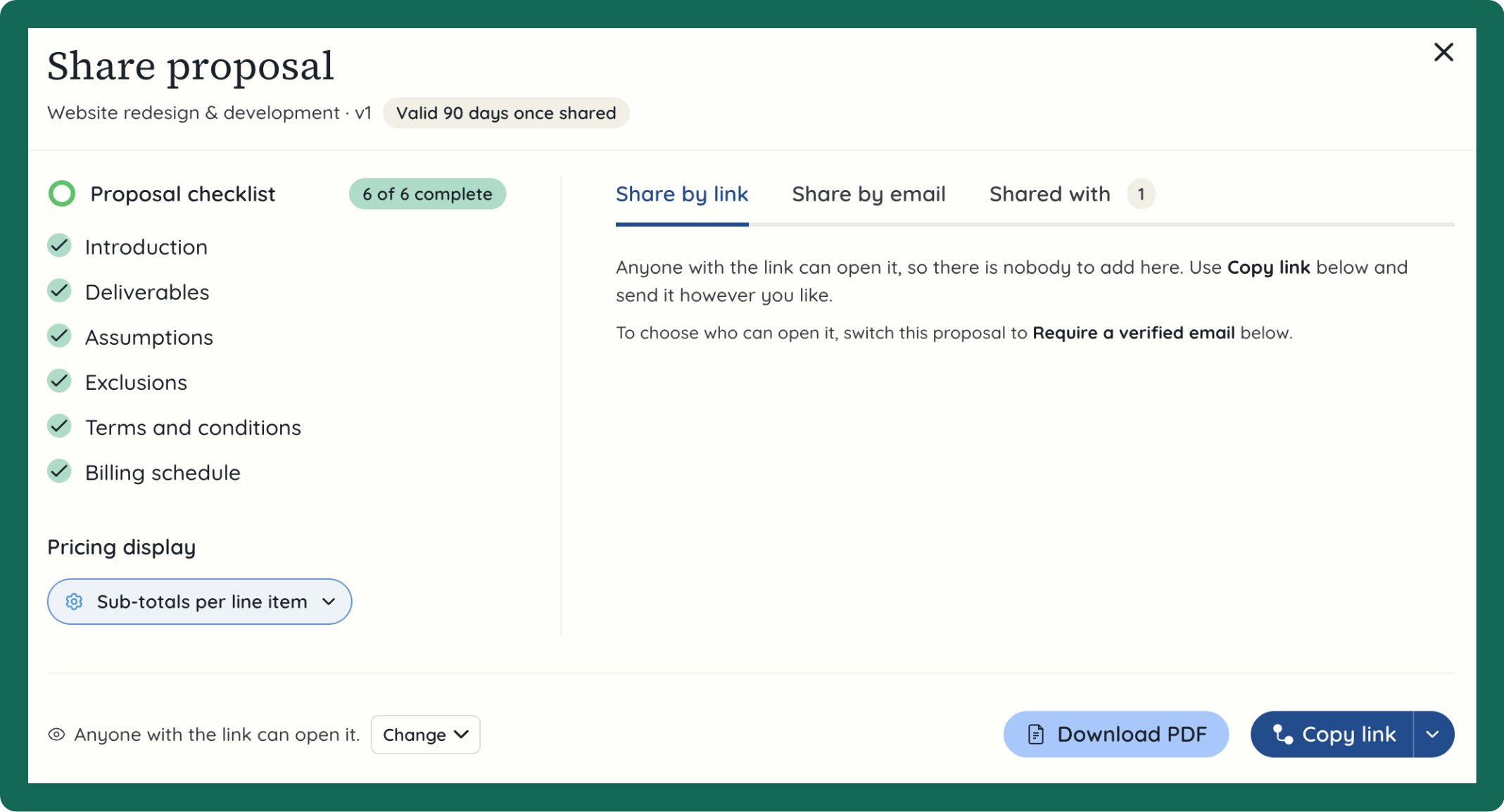
Price from your own rate cards, share a link your client can comment on and sign, and turn the approved lines into tasks with the hours already attached.
Projects that start from what you sold
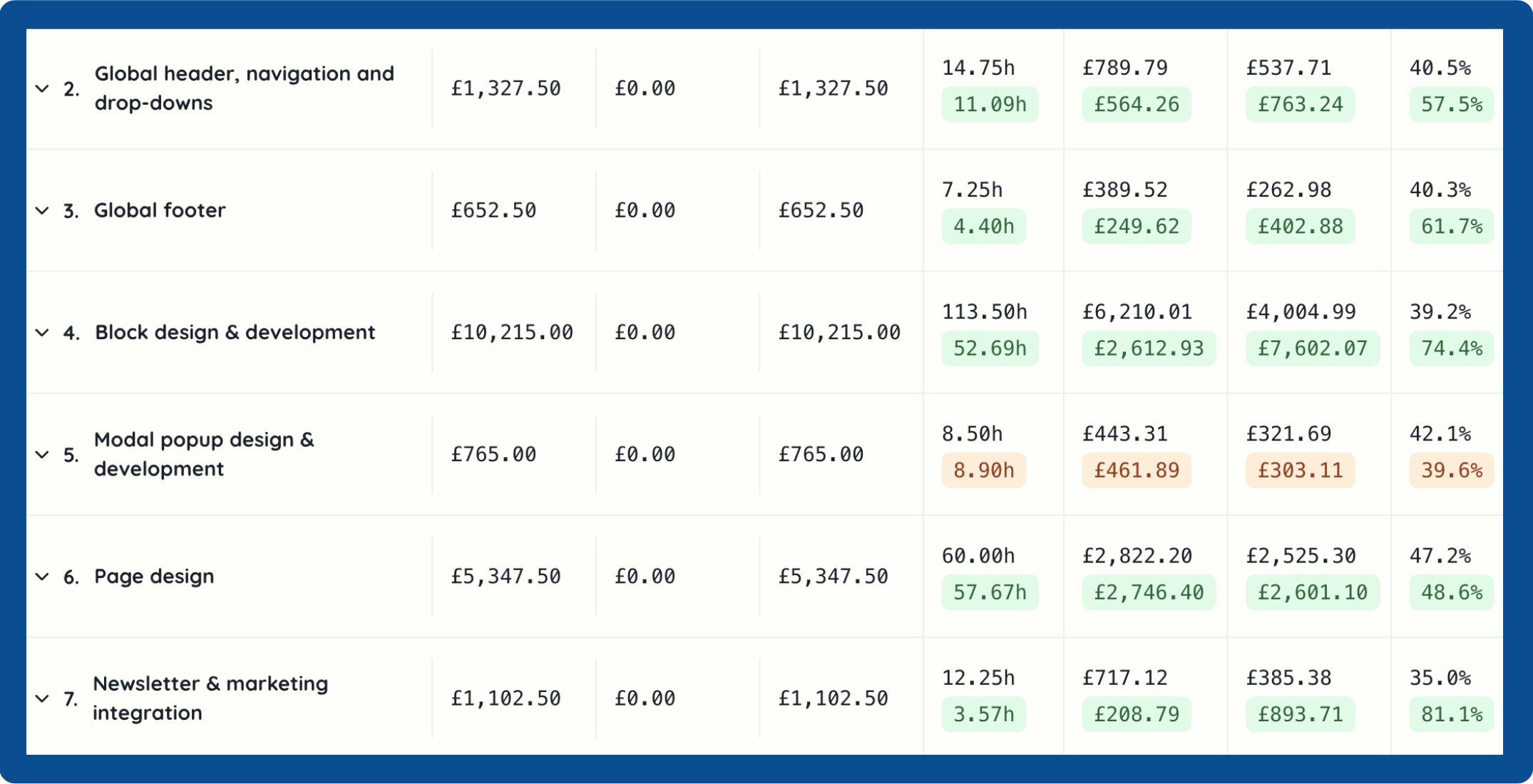
Tasks, checklists, Gantt charts and client dependencies, all built from the approved proposal. You'll see hours against budget while the project's still running.
Time that lands in the right place
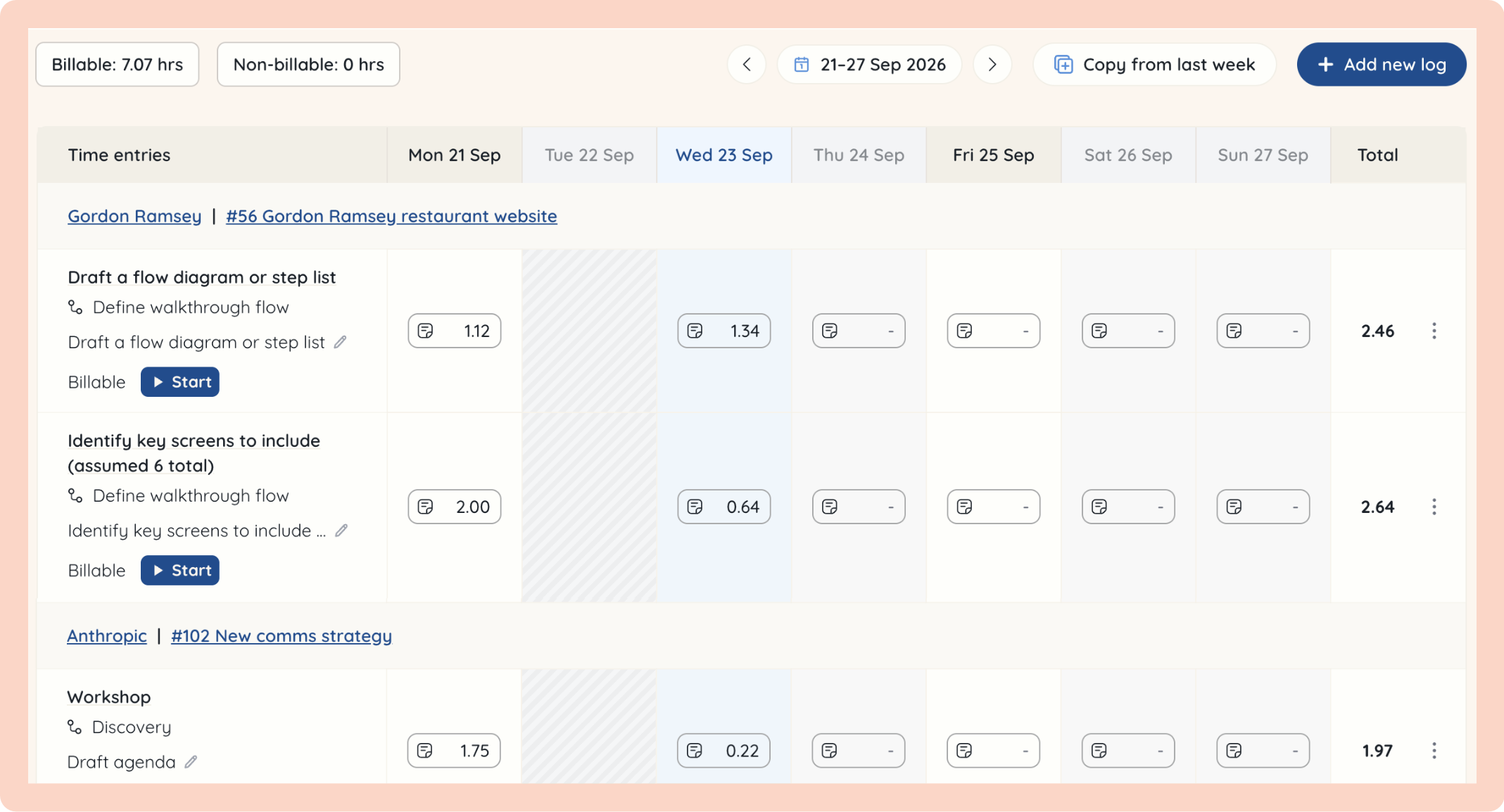
A timer and weekly timesheet that log time against the task, not a vague project name. Reminders catch missing time before it skews the figures.
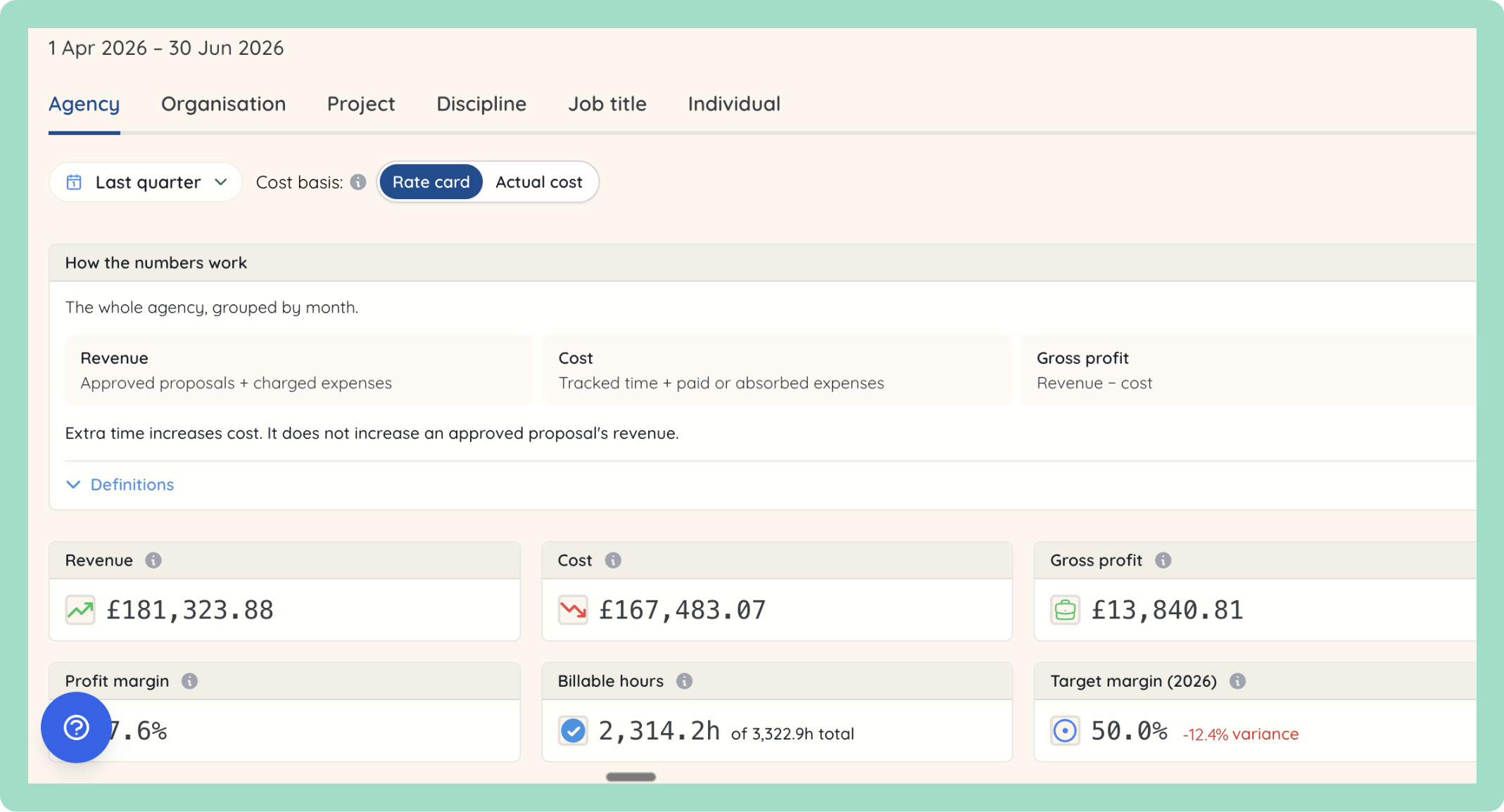
Know which work makes you money
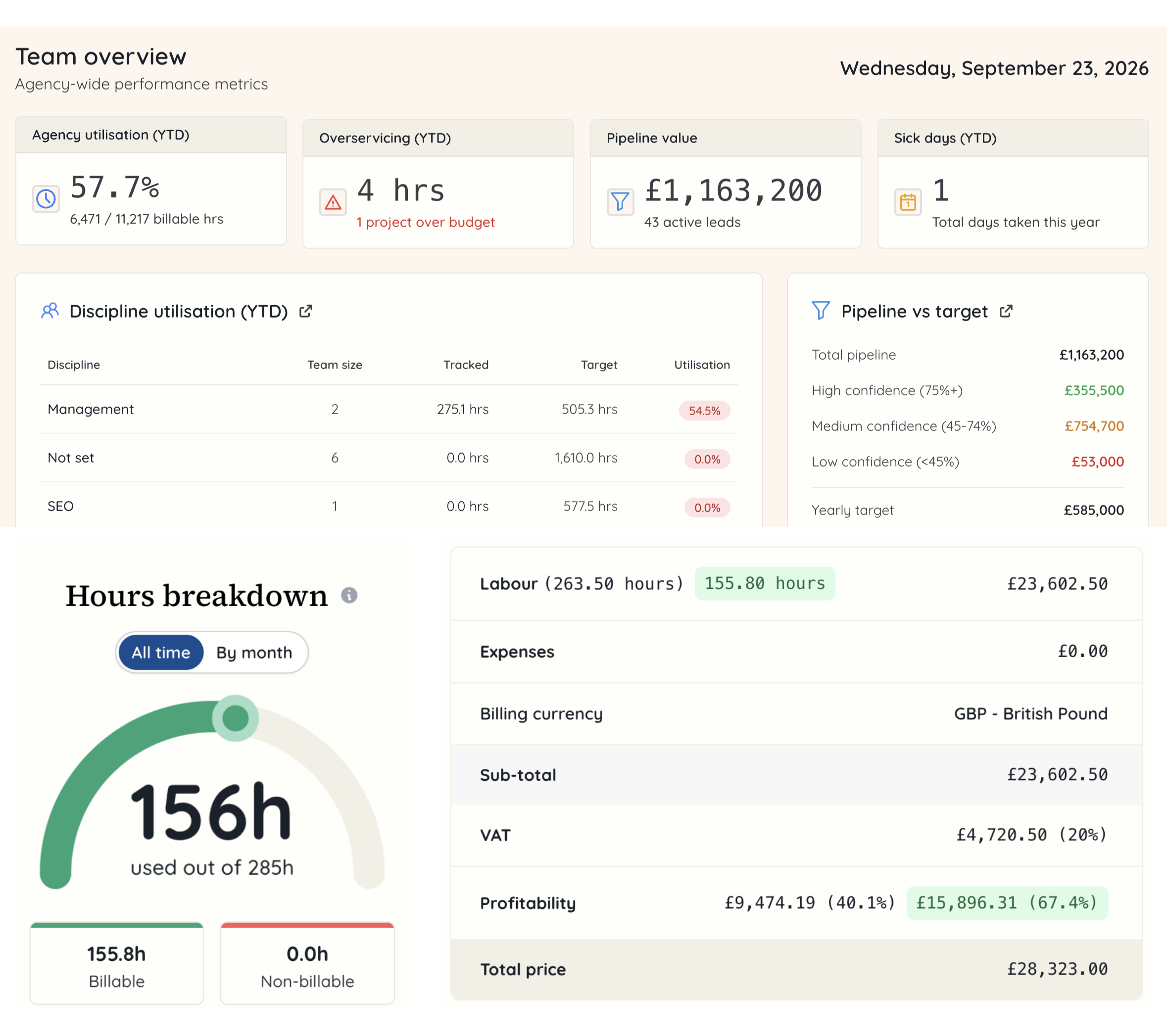
Profitability by client, project, discipline and person, plus over-servicing, utilisation and a revenue forecast. The reports read the same records your team works in, so there's nothing to reconcile.
Built around three jobs in your agency
Most agencies have someone in each of these seats, even when it's the same person.

Owners and managing directors
See whether jobs made money, which clients are worth keeping, and how the year is tracking against target
Heads of operations
See who's free, where time actually goes, and whether the way you run projects is holding up
Account managers
Keep scope agreed, clients informed and projects on budget, without chasing three tools for the facts
Works with the tools you already use
See all integrations
Xero

Slack

Google Calendar

BambooHR

AI assistants
Common questions
Yes. You can import clients, leads, suppliers, tasks and past time entries from CSV files.
No. Rofinery works alongside Xero. You raise invoices in Xero from the payments agreed in your proposals, and paid status comes back to Rofinery.
Only the people you give permission to. Roles and permissions decide who sees rates, margins and reports, and you can change them for one person without changing everyone.
Yes. The freelancer role has read-only access to the work they're assigned. There's also an advisor role, with read-only access to reports and financials.
Everything else Rofinery does
The rest of the tools, each one working from the same records.
📅 Resource planning
Book people onto work and see holidays and meetings on the same calendar
🏖️ Time off
Request, approve and track holiday in the place you plan the work
📈 Sales pipeline
Track leads from first enquiry to signed proposal, against your targets
🤝 Client management
Contacts, notes, files and profitability for each client on one record
🎟️ Support requests
Track client requests in one shared list and turn them into tasks your team can time
📚 Knowledge base
A wiki for how your agency works, and a help centre for your clients
🔐 Roles and permissions
Decide who sees financials, salaries and private projects
🔌 Integrations
Xero, Slack, Google, BambooHR, Granola, Fathom and your AI assistant